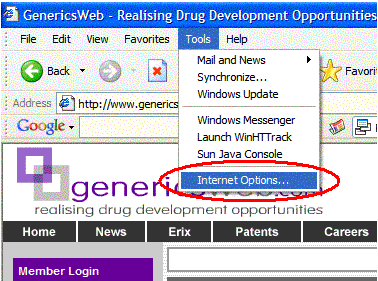
1. Go to the Toolbar and select 'Tools->Internet Options...'
2. Click the 'Security' Tab and select 'Customer Level...' from the 'Security level for this zone' frame.
A new window will popup.
3. Make sure 'enable' is selected for the different download options on the new window.
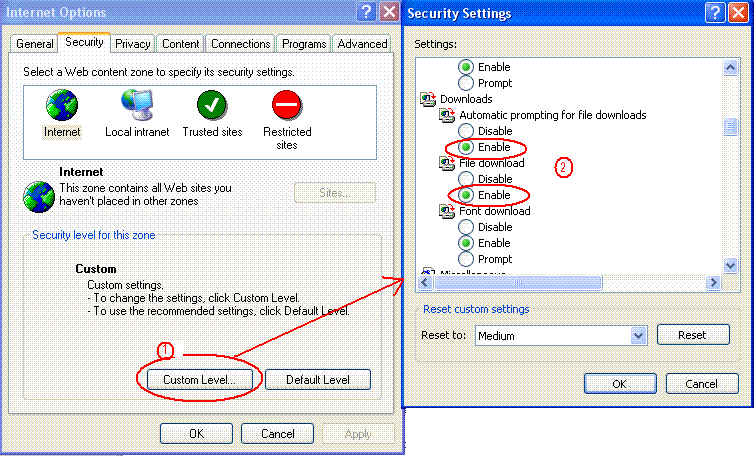
4. Click 'OK' to go back to 'Internet Options' box and click 'OK' to finish off.
You have now enabled downlods for Internet Exlporer.

 Home
Home INNform
 Enable Download (IE)