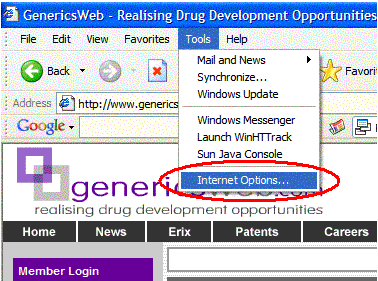
Go to the Toolbar and select 'Tools->Internet Options...'
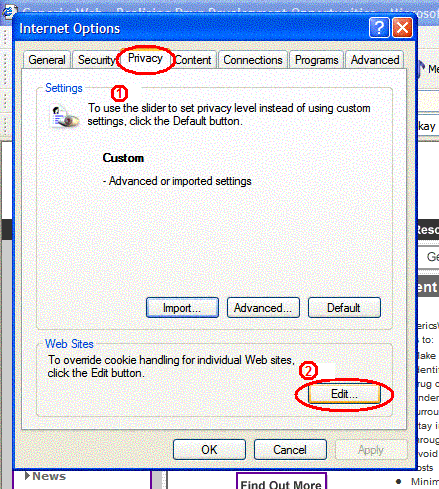
Click the 'Privacy Tab' and select 'Edit' from the 'Web Sites' frame
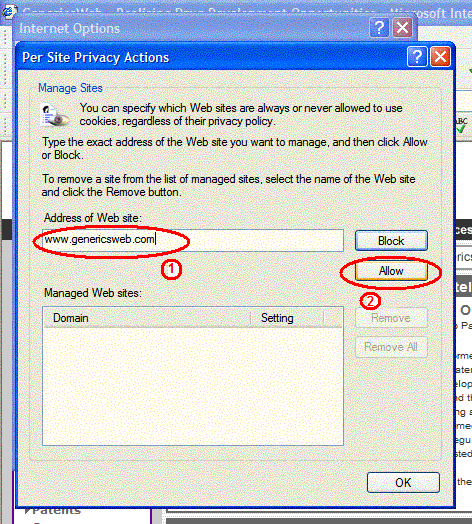
Type in 'www.genericsweb.com' for the 'Address of the Web site' and click 'Allow'
You will now see 'genericsweb.com' -> 'Always Allow' under 'Managed Web sites:' list
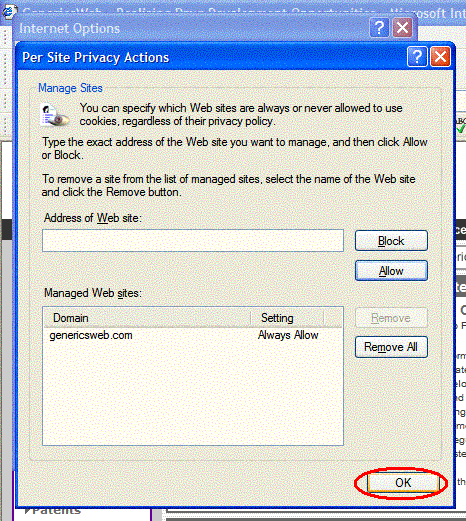
Click 'OK' to go back to 'Internet Options' box and click 'OK' to finish off
You have now enabled cookies for our site!


 Home
Home INNform
 Enable Cookies (IE)